
Help Center
How MakeMidas works, from free daily credits and plans to generating images and videos, pet portraits, downloads, refunds and your data.
Last updated:
What you can make
- Images from text: describe what you want and pick a model. See Text to image.
- Images from pictures: add up to ten reference pictures to keep a person, product or style. See Image to image.
- Videos: describe a scene, or start from a picture with a first frame (and on most models a last frame). See Text to video and Image to video.
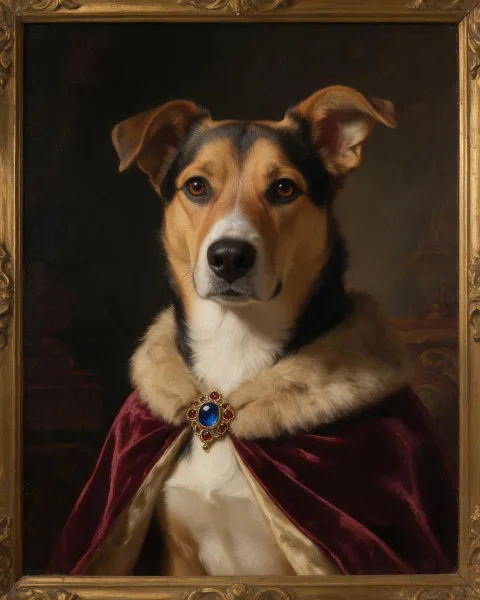
- Pet portraits: royal or cartoon portraits, a photo of you with your pet, or a pet added to a family photo. See Royal pet portrait.
Everything is made in the generator or on the tool pages linked in the menu.
How credits work
- Free daily credits. Every signed-in account gets free credits each day. They expire at midnight UTC. Images made with them carry a watermark, and some models need a plan or a credit pack.
- Plans. Monthly or yearly subscriptions grant credits every month, lower the credit cost of some model families, and remove the watermark. See Pricing.
- Credit packs. One-time purchases whose credits last 6 months. Buying any pack also removes the watermark and unlocks every model.
- Cost of a generation. It depends on the model, the resolution, how many outputs you ask for, and for video the length and sound. The cost is shown on the Generate button before you start. Credit costs can change over time as the prices of AI model providers change; a change never affects a generation already started.
- Failed generations. If a model can't make something, its credits are returned automatically.
- Order of use. The credits that expire first are used first.
Generating
- Write a prompt. Short is fine: keep AI enhance on and a short description is filled out into a fuller prompt. Turn it off when your prompt is already detailed.
- Add pictures if you want. JPG, PNG or WebP, up to 10 MB each. You can also drag pictures onto the generator or paste them into the prompt box.
- Pick a model and settings. Each model shows only the ratios, resolutions and lengths it supports. For images you can also choose a style.
- Generate. Images usually take one or two minutes. Videos take a few minutes; you can leave the page and come back.
Any result can be used again: as a reference for a new image, as the first frame of a video, or with Reuse to bring back its prompt and settings.
Downloads and history
Everything you make is kept in your history in the generator, with a download button on each result. Older pet portrait orders bought before plans and credits can still be opened from their order page link or from My portraits.
Using what you make
Results made on a paid plan or with bought credits can be used for any purpose, including commercial use. Results made with free credits are for personal use. See Licenses.
Plans and billing
You can manage or cancel your subscription from Billing in your settings. After cancelling, your plan and its credits stay active until the end of the paid period.
Refunds
Payments are final because you can try the Service with free daily credits first. Billing errors, such as being charged twice, are always fixed. See the Refund Policy.
Privacy and security
Pictures you upload are stored privately and deleted automatically within 48 hours. What you generate is kept privately in your history. Read more in Security and the Privacy Policy.
Still need help?
Contact us and we'll get back to you.