Veo 3.1 AI video generator

Veo is Google DeepMind's video model. Make a clip with Veo 3.1 Fast, Quality or Lite below, see what it made for us, and compare the three versions.

  • By Google
  • From 96 credits per 4s clip
  • Updated 2026-11-20
AI enhance
Sound
New accounts get 50 free credits

Veo 3.1 examples made on MakeMidas

Real results from our generator, each with the prompt that made it.

Veo 3.1 Fast

a hummingbird hovers at a red flower in a sunny garden, wings beating, birdsong

Veo 3.1 Lite

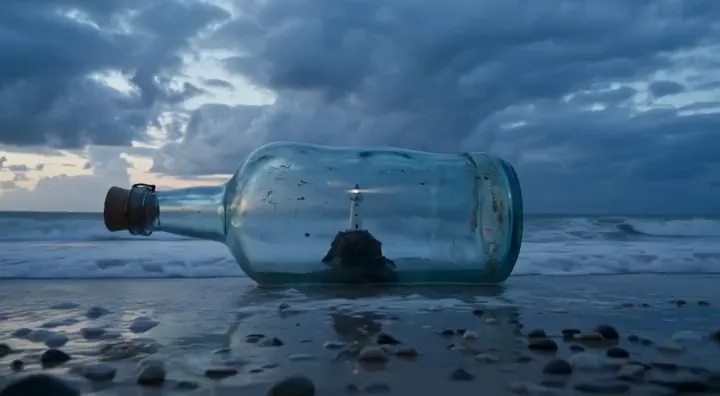
time-lapse from dawn to a stormy dusk, waves grow, the lighthouse beam turns on

Veo 3.1 Lite

gentle waves roll onto a sandy beach at sunset, seagulls calling, slow camera pan

What is Veo 3.1?

Veo is Google DeepMind's video generation model. Google announced Veo 3.1 on October 15, 2025 with richer audio, more narrative control and more realism. The same post describes making a video from several reference images, bridging a start and an end frame, and extending a clip from its last second.

A January 2026 update added vertical 9:16 video from reference images, and 1080p and 4K output through upscaling.

Fast, Quality and Lite

Google's Vertex AI documentation lists three Veo 3.1 models. All three make 4-, 6- or 8-second clips, generate sound, and take a first and last frame. The page lists the two main models as generally available from November 17, 2025 and Lite as a preview from April 2, 2026.

9to5Google reported that Lite costs less than half as much as Fast and runs at the same speed.

On MakeMidas, Veo 3.1 Quality makes 8-second clips at up to 4K, always with sound. Fast and Lite make 4-, 6- or 8-second clips at 720p or 1080p, with sound you can switch off. All three start from text, a first frame, or a first and last frame.


Veo 3.1 settings and prices on MakeMidas

What each version takes here and what it costs in credits. The table follows the live prices.

VersionInputOutputSoundPrice
Veo 3.1 FastText, First frame, First and last frame720p, 1080p, 4 to 8 secondsOptional
  • 24 credits per second at 720p
  • 30 credits per second at 1080p
Veo 3.1 QualityText, First frame, First and last frame720p, 1080p, 4K, 8 to 8 secondsAlways on
  • 40 credits per second at 720p
  • 40 credits per second at 1080p
  • 60 credits per second at 4K
Veo 3.1 LiteText, First frame, First and last frame720p, 1080p, 4 to 8 secondsOptional
  • 9 credits per second at 720p
  • 15 credits per second at 1080p

Veo 3.1 API

Call Veo 3.1 from your own code with the MakeMidas REST API. One API key covers every model here, at the same credit prices as the table above, with no Google account of your own.

Model ids

  • google/veo-3.1-fast · Veo 3.1 Fast
  • google/veo-3.1-quality · Veo 3.1 Quality
  • google/veo-3.1-lite · Veo 3.1 Lite

Start a generation

curl https://makemidas.com/api/v1/generations \
  -H "x-api-key: $MAKEMIDAS_API_KEY" \
  -H "Content-Type: application/json" \
  -d '{
  "kind": "video",
  "model": "google/veo-3.1-fast",
  "prompt": "a hummingbird hovers at a red flower in a sunny garden, wings beating, birdsong",
  "aspectRatio": "16:9",
  "resolution": "720p",
  "duration": 8,
  "frameMode": "none",
  "audio": false,
  "count": 1
}'

Get the result

Videos and audio start as a job: use the id the first call returns. Each call waits up to 40 seconds; call again until the status is done.

curl "https://makemidas.com/api/v1/generations/<id>?wait=40" \
  -H "x-api-key: $MAKEMIDAS_API_KEY"

Or from a terminal, with the MakeMidas CLI

makemidas video "a hummingbird hovers at a red flower in a sunny garden, wings beating, birdsong" --model google/veo-3.1-fast -d 8

Create an API key in Settings → API keys and set it as MAKEMIDAS_API_KEY. To see the price first, send the same body to /api/v1/generations/estimate: it charges nothing.

Veo 3.1 on YouTube

Demos and reviews by other people, for a second opinion.

Veo 3.1 - Ingredients to videoGoogle DeepMind · 2025-10-15
Veo 3.1 Updates - Generate videos in 1080p and 4K with state-of-the-art upscalingGoogle DeepMind · 2026-01-12
Veo 3.1 is HERE - Full Test vs Sora 2 Pro & Wan 2.5Futurepedia · 2025-10-20

Veo 3.1 discussions on Reddit

Veo 3.1 on X

Questions

Is Veo 3.1 free?

Partly. MakeMidas has no free plan, but a new account gets 50 credits once its email is verified, valid for 30 days on every model, enough to try Veo 3.1 Lite, while the others cost more than that. After that, each result costs credits by its settings, as the table above shows, from a monthly plan or a one-time credit pack. See pricing.

How long can a Veo 3.1 video be?

Google's Vertex AI documentation lists 4, 6 or 8 seconds. Here, Quality makes 8-second clips and Fast and Lite let you pick 4, 6 or 8.

Does Veo 3.1 make sound?

Yes. Veo 3.1 Quality adds sound to every clip here, and Fast and Lite have a sound switch.

Can Veo 3.1 make 4K video?

Google added 4K output through upscaling in January 2026. On MakeMidas, Veo 3.1 Quality renders up to 4K; Fast and Lite go up to 1080p.

Can I use Veo 3.1 through an API?

Yes. MakeMidas has a REST API, an MCP server and a CLI that use the same models and the same credits as the generator on this page.

Is there a Veo 3.1 API?

Yes. MakeMidas offers Veo 3.1 through a REST API, an MCP server and a CLI, paid with credits at the prices in the table above. Create an API key in Settings → API keys; the developer guide has every endpoint.

Sources

From the maker

  1. Veo · Google DeepMind
  2. Introducing Veo 3.1 and advanced capabilities in Flow · Google, 2025-10-15
  3. Veo 3.1 Ingredients to Video · Google, 2026-01-13
  4. Veo 3.1 models · Google Cloud Vertex AI

Reviews and reports

  1. Veo 3.1 Lite · 9to5Google, Abner Li, 2026-03-31

Try Veo 3.1 now

Write a prompt or add a picture, and pay only for what you make.